
 Starkeepers · how to play
How to play Starkeepers
Lumo’s night-sky game, explained picture by picture. Catch stars each night, grow your own sky, and light up your server’s sky together.
Getting started: an admin turns it on
Starkeepers is free for every server, but it starts off. A server admin turns it on in the web dashboard: open the dashboard, pick your server, open Starkeepers and switch it on. That’s it.
- Admin: turn on Starkeepers in the dashboard.
- Optional: pick a shooting-star channel for falling stars and comet swarms, and turn on Stargazing.
- Everyone: type
/sky watch.
The nightly watch and catching stars
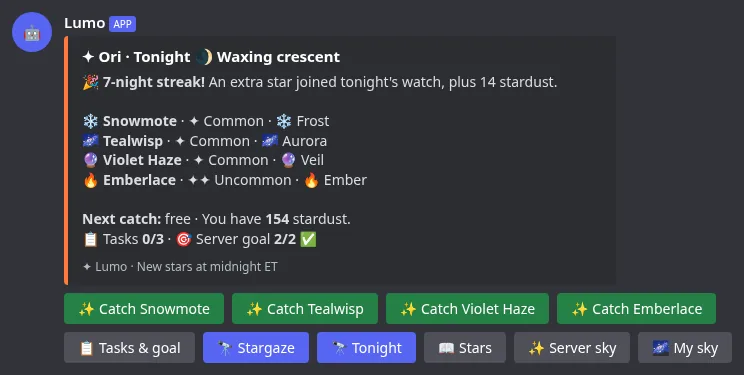
At midnight Eastern time a fresh set of stars appears for you (everyone gets their own). Run /sky watch to see them on the Tonight tab and press a star to catch it.
- Your first catch each night is free; more catches cost a little stardust.
- Catching a star you already have makes it brighter instead.
- The four tabs at the bottom (Tonight, Stars, Server sky, My sky) work on every screen.
Rarities and families
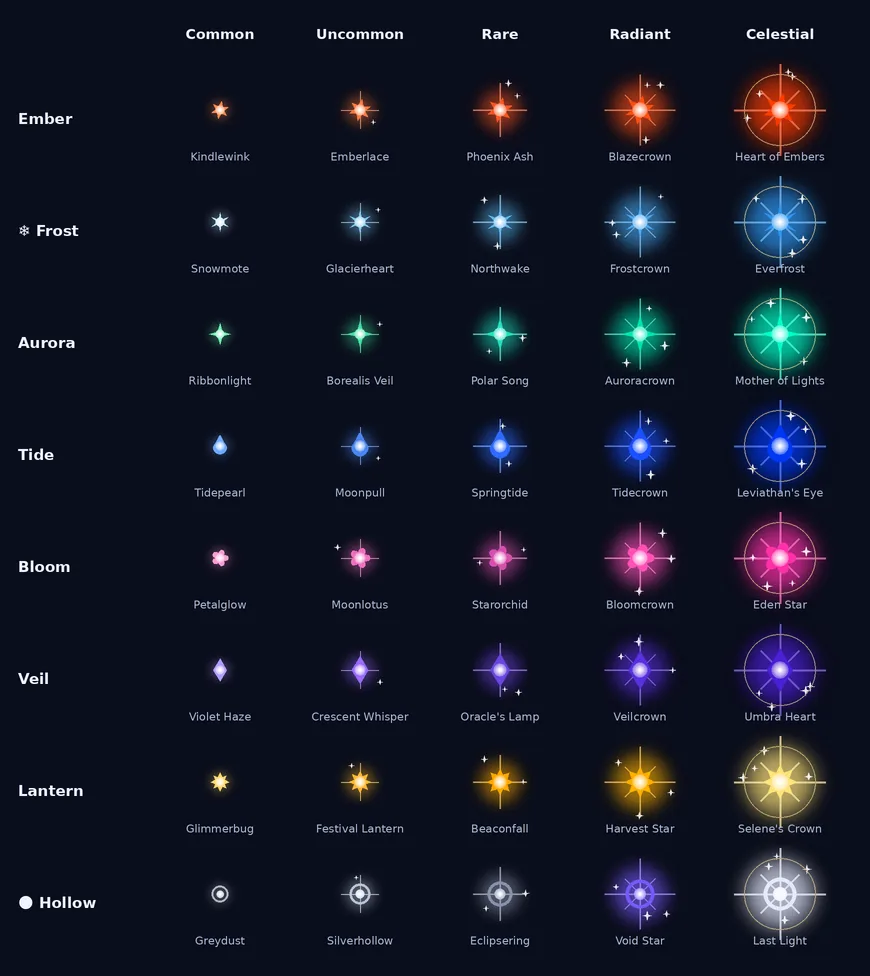
There are 100 stars in 8 families (Ember, Frost, Aurora, Tide, Bloom, Veil, Lantern and Hollow), each with its own shape. Every star has a rarity, from Common to Celestial. Rarer stars glow bigger and unlock as you level up.
- Some stars only show up in certain moon phases.
- If you go a while without a rare star, a safety net makes sure one shows up.
Brightness and light
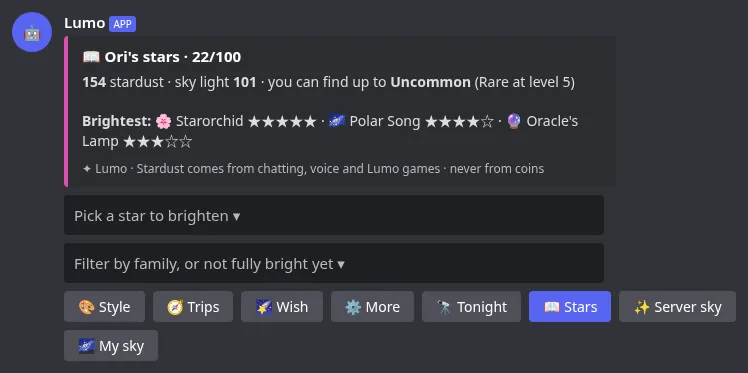
Each star has a brightness from 1 to 5. Raise it with stardust on the Stars tab, by catching the same star again, or with fragments from sky trips. Brighter, rarer stars give more light, and light is what lights constellations.
Stardust comes from playing: chatting, voice, Lumo’s games and Starkeepers itself. It is never sold and is never Lumo Coins. Coins only buy looks.
Your sky vs the server sky
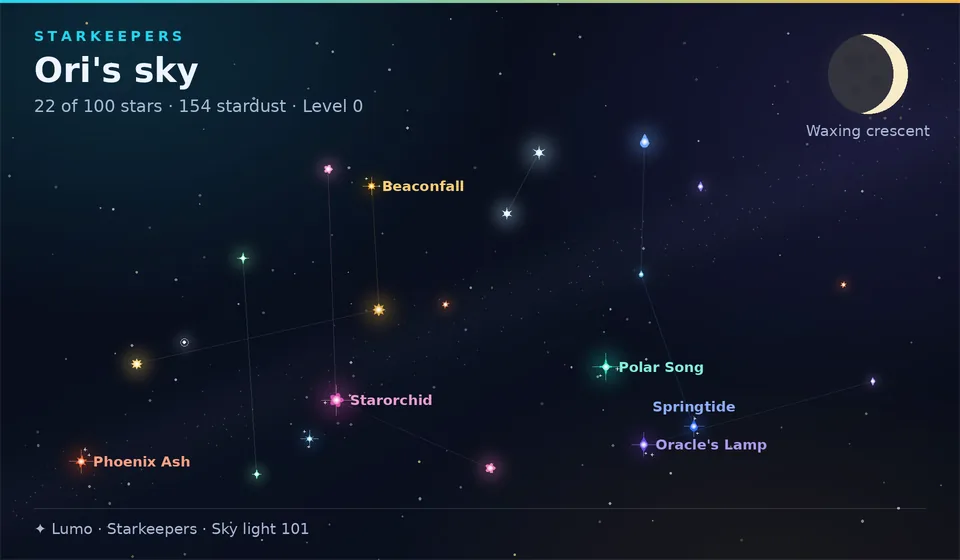
My sky is your own picture: every star you’ve caught, in its family color, with names for the brightest. Press Twinkle to see it shimmer.
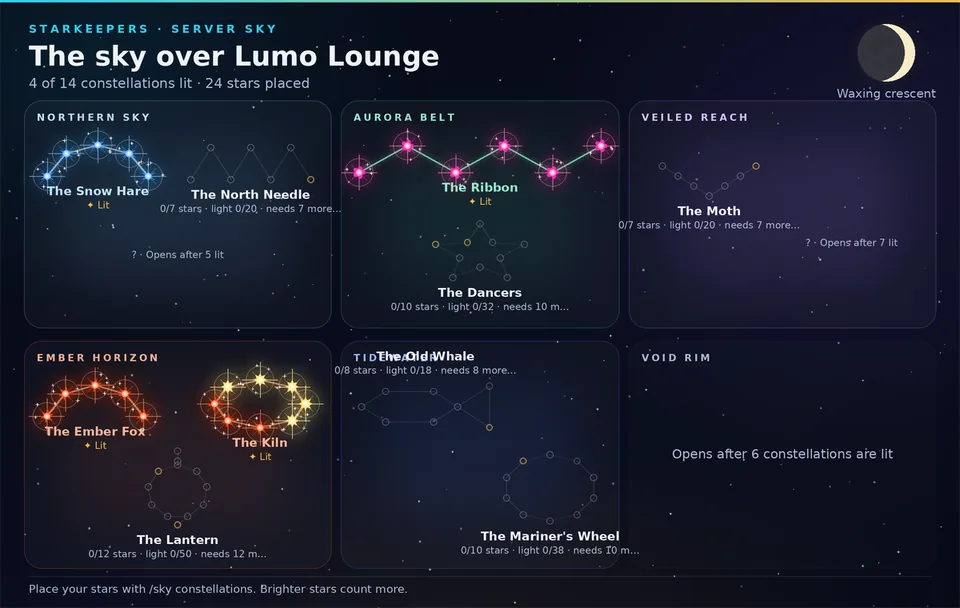
The Server sky is shared by everyone. You place your stars into its constellations, and the whole server lights them up together.
Constellations, regions and perks
The server sky has regions, each with its own constellations. Fill a constellation’s slots with stars of the right families and reach its light target to light it. The label always says what’s missing, for example “needs 1 more star”.
- Lit constellations give small server-wide perks, like a little more stardust or slightly better odds.
- Lighting some constellations opens new regions.
- Everyone who helped gets that constellation’s badge.
Streak, tasks and the server goal
Watch every night to grow your streak: every 7th night brings an extra star. Each night you also get 3 small tasks (like “catch 2 stars”) for a bit of stardust, and the whole server shares a goal with a small perk when you reach it.
Stargazing
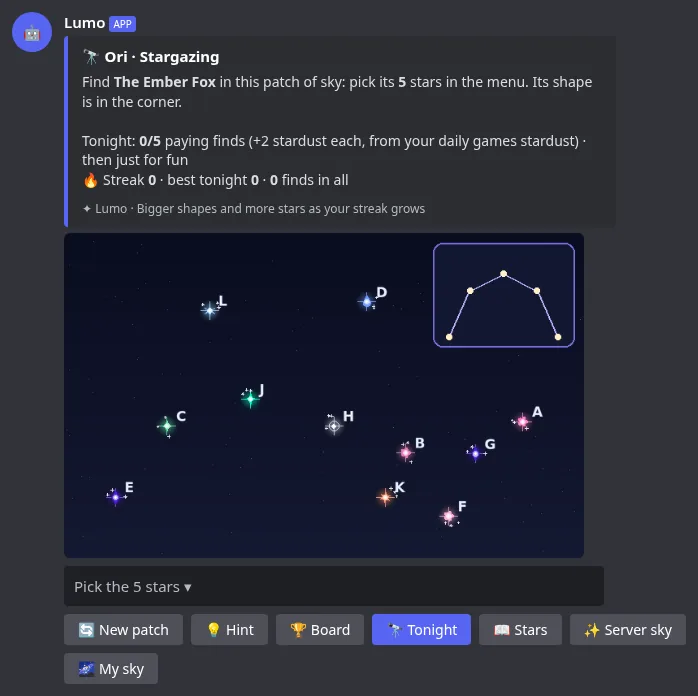
When an admin turns it on, a Stargaze button appears on the Tonight tab. Find the constellation hidden in a patch of sky by picking its letters. The first finds each night give a little stardust (inside the daily cap) and there’s a nightly board.
Sky trips and fragments
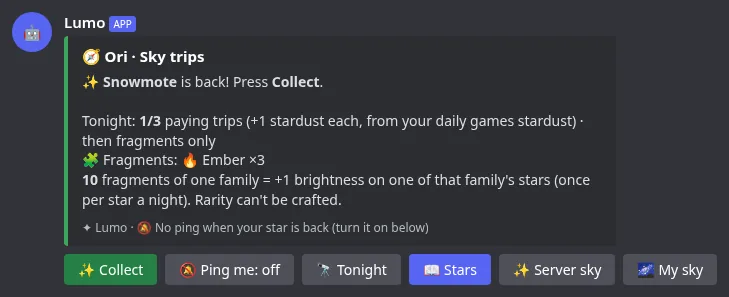
Press Trips on the Stars tab to send one of your stars on a 2-hour trip. When it’s back, press Collect for fragments of its family (brighter stars bring more). 10 fragments of one family make one of that family’s stars 1 brighter, once per star a night.
- The first 3 trips a night also give 1 stardust each.
- Lumo updates the trip message when it’s back. Turn on Ping me if you want a ping.
Wished star
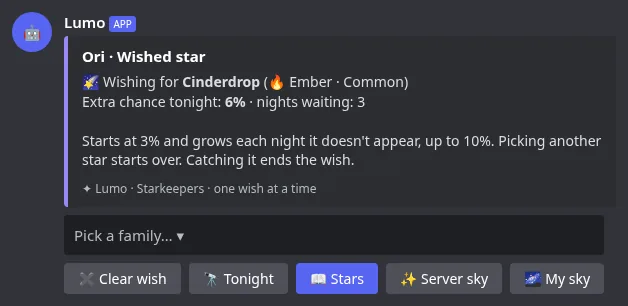
Press Wish on the Stars tab and pick one star you don’t have yet. Every night it gets a small extra chance to show up in your watch, and that chance grows a little each night it doesn’t (up to 10%). Switching stars starts over.
Shooting stars and comet swarms
A few times a day a shooting star falls in the channel your admin picked. The first 3 people to press Catch it keep it.
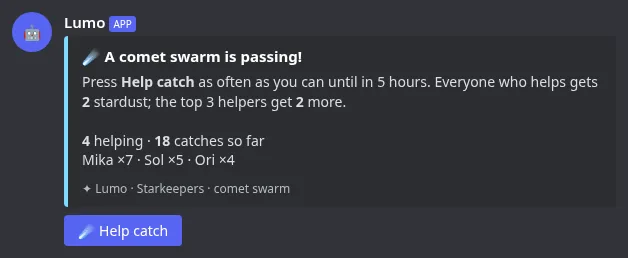
Now and then a comet swarm passes for one minute (if an admin turned it on). Everyone presses Help catch; every helper gets stardust and the top helpers a bit more.
The eclipse
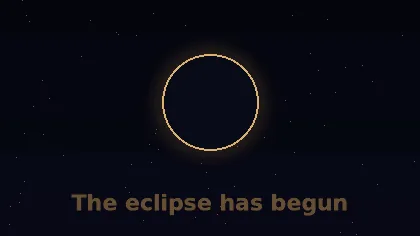
Once a month the sky goes dark for two nights. The Eclipse Ring region opens, rare and celestial stars show up a little more often, every moon star can appear, and more stars fall.
Milestones
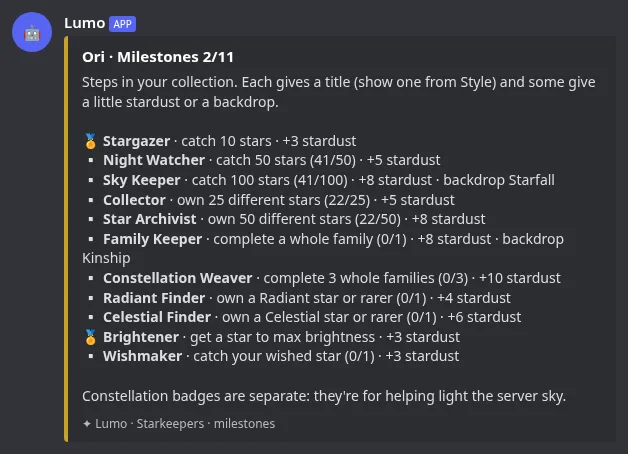
Collection milestones (your 10th, 50th and 100th catch, a whole family, your first Celestial and more) give a title you can show on your sky picture, a little stardust, and sometimes a new backdrop. Find them under More → Milestones on the Stars tab.
Tips
- Watch every night, even for one catch: it keeps your streak.
- Check your tasks on the Tonight tab; they’re quick stardust.
- Place stars where the server needs them: the label tells you what’s missing.
- Send a star on a trip before you log off.
- Wish for the star that completes a family.
- Brighten the stars you placed: their light counts for the whole server.
FAQ
Does Starkeepers cost anything?
No. It’s free for every server. Lumo Coins only buy looks (backgrounds and star styles); stardust can’t be bought.
Why can’t I see /sky?
An admin needs to turn Starkeepers on in the dashboard first.
When do new stars appear?
Every night at midnight Eastern time (ET).
Can I lose my stars?
No. Stars you catch stay yours. You can choose to delete your own data under More → Forget my stars.
Why does a constellation say “needs 1 more star”?
It lights only when every slot is filled and its light target is reached. The label tells you exactly what’s still missing.
Do comet swarms or shooting stars ping everyone?
No. They only post in the channel your admin picked, and they’re off until an admin turns them on.

Ready to catch your first star?
Add Lumo, turn on Starkeepers in the dashboard, then type /sky watch.